
Mean what you say. Get what you wanted.
thinkany design takes a plain-language brief and gives you a complete designed website. Whatever you want changed becomes an iterative process directed by you. Once you are satisfied with the outcome the site's custom CMS is built enabling you to update content and publish it. The whole path demonstrated below takes an afternoon, not a year.
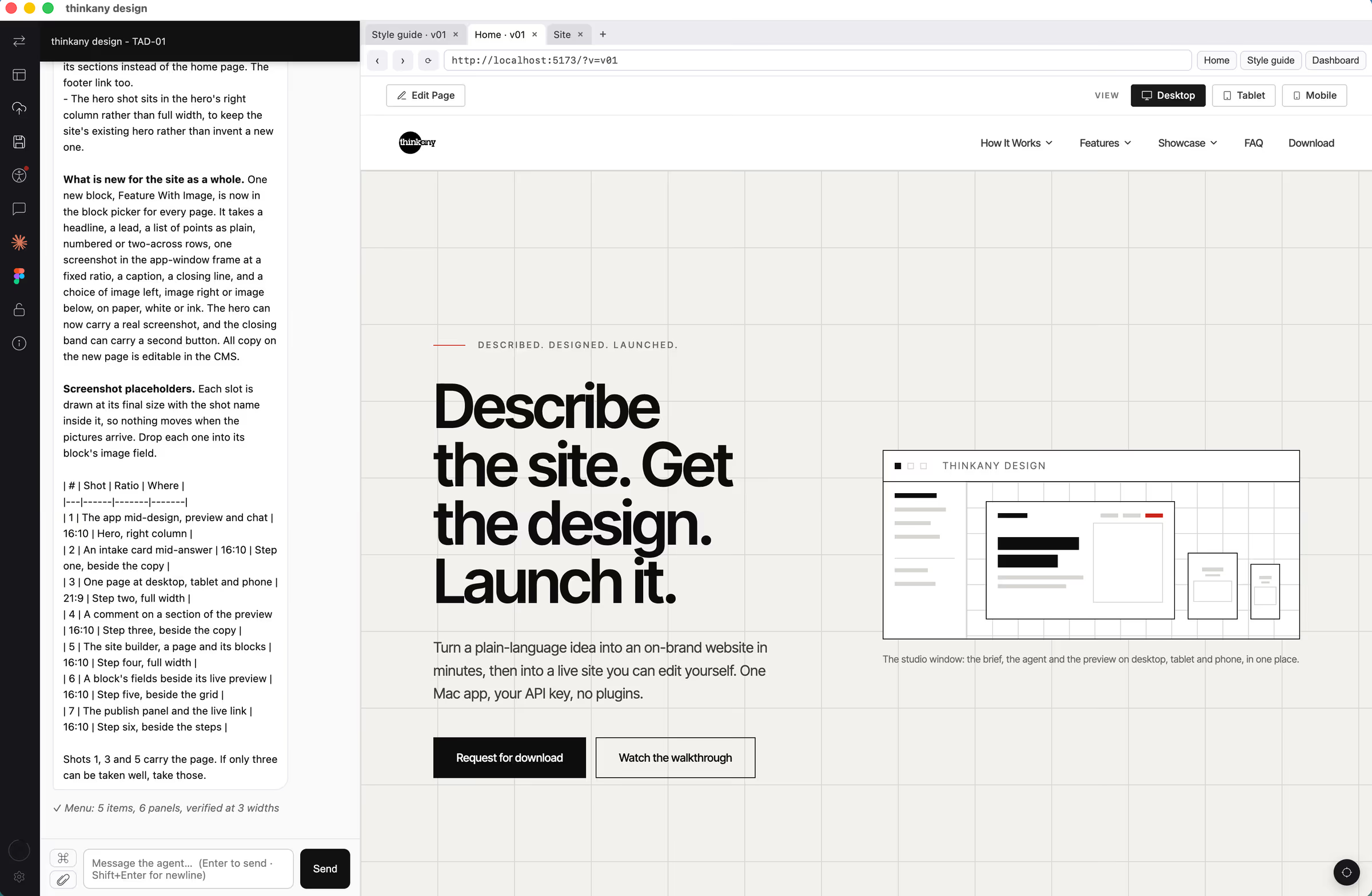
What you need before you start.
- A Mac
The app runs on macOS.
- Your own Anthropic API key
The design work runs on your key, so you see exactly what it costs. Nothing is metered through us.
- A Vercel account, when you are ready to publish
Free to start. You connect it inside the app, and the site publishes to your account, not ours.
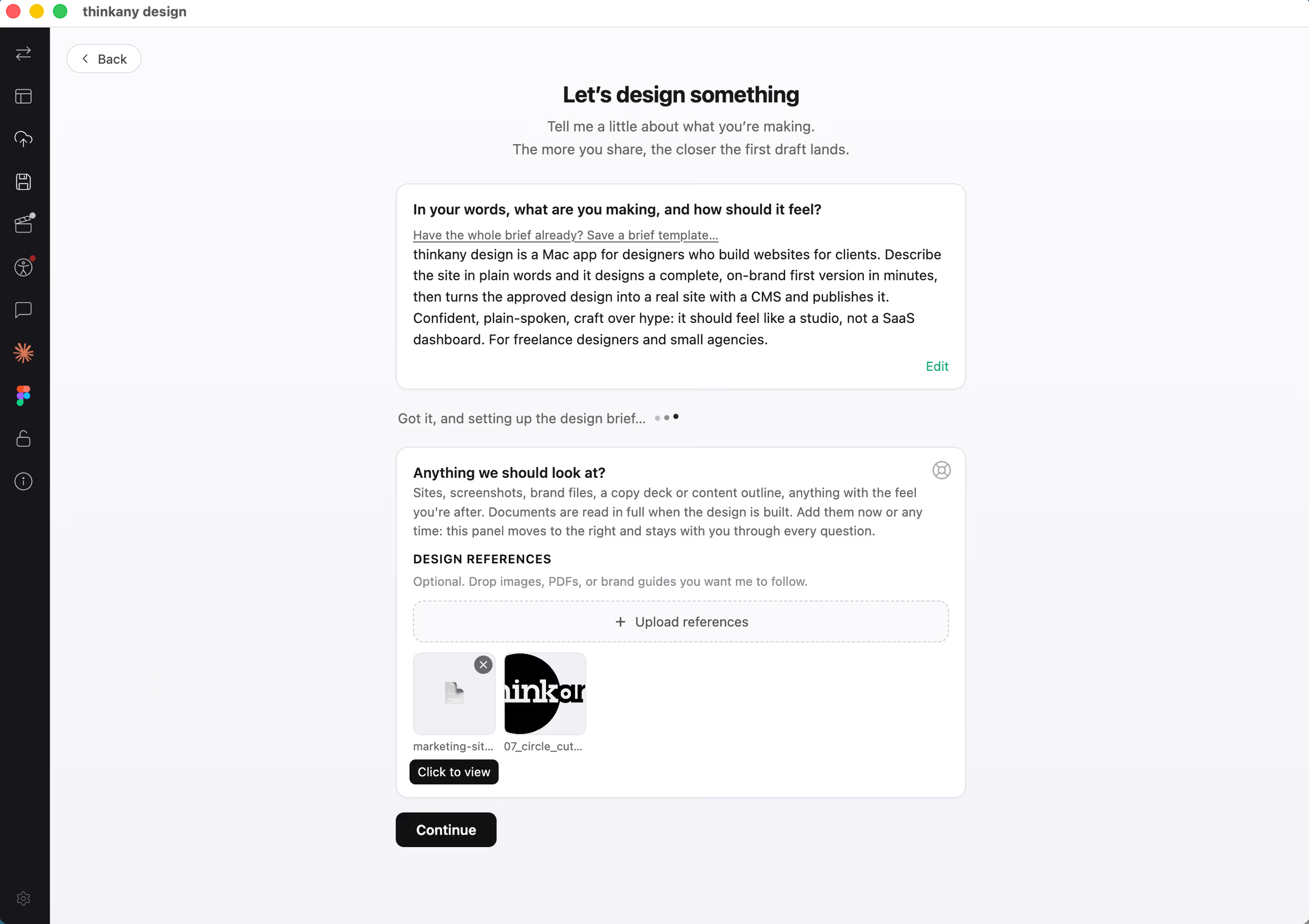
Tell it what you are making.
You start a project by answering a short set of cards: who the site is for, what pages it needs, how it should feel. Nothing technical. Describe it in your own way.
- Upload what you already have
Brand guidelines, a Figma URL, a logo, photographs, even a document of copy. The app reads them. Where a document holds real copy, it builds to that copy rather than inventing its own.
- Point to sites you like
Give it the addresses and say what you like about each one. The app will review them and apply what works to your design without copying a thing.
- Start from Figma
If you have a Figma file or URL, you can begin from that instead. The app treats this as the design of choice rather than a reference to build from.
- Choose a fonts and colors
You're unique, and so is your brand. Choose what defines you and don't settle for less. Alternatively, spin the wheel and let the app choose what feels good. If you disagree, say so and poof, you get what you want!
You are not filling in a form for a template. Your answers become the unique design direction.
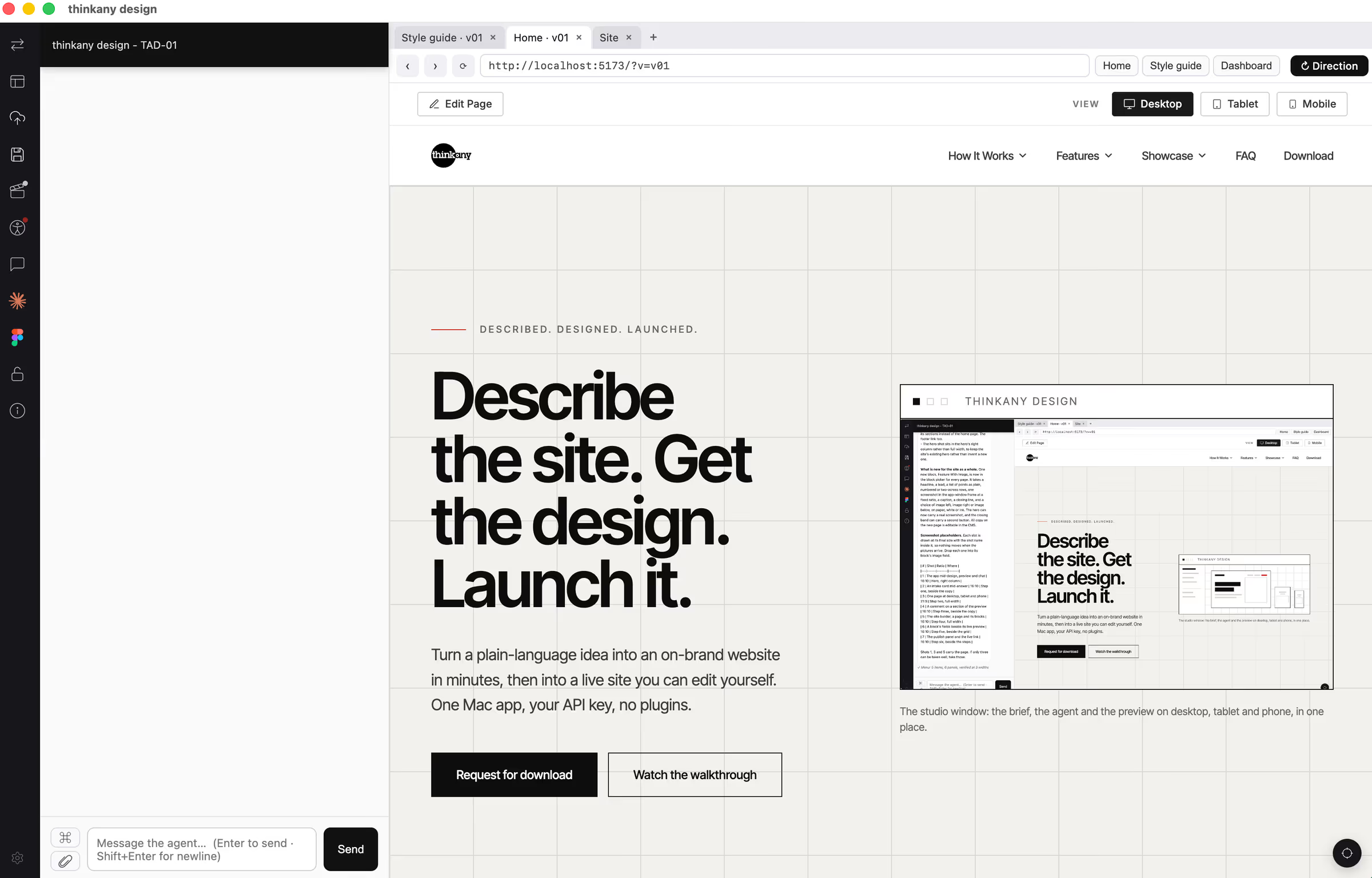
The reveal.
A few minutes later you have a real website. Not a wireframe and not a mockup: working pages, on your brand, at desktop, tablet and phone sizes.
- A complete first version
The pages you asked for, with copy in place.
- Real device sizes
See it at desktop, tablet and phone widths straight away.
- More than one direction
If you want a different direction, ask for one. You can keep several designs in the same project and compare them.
Tell it what to change.
This is the part people do not expect. You review the design the way you would review a designer's work: in words, minus the developer pass.
- Point at the thing you mean
Click a section of the preview and comment on it directly. You never have to describe where something is.
- Say what you want changed
Write it in the chat, in plain language, and it changes.
- Ask for a second opinion
An art director reviews the design and tells you what it would tighten. An accessibility review checks contrast and structure against the standards.
- Images and video
Sourced for you from stock libraries, with the photographer credited, or drop in your own.
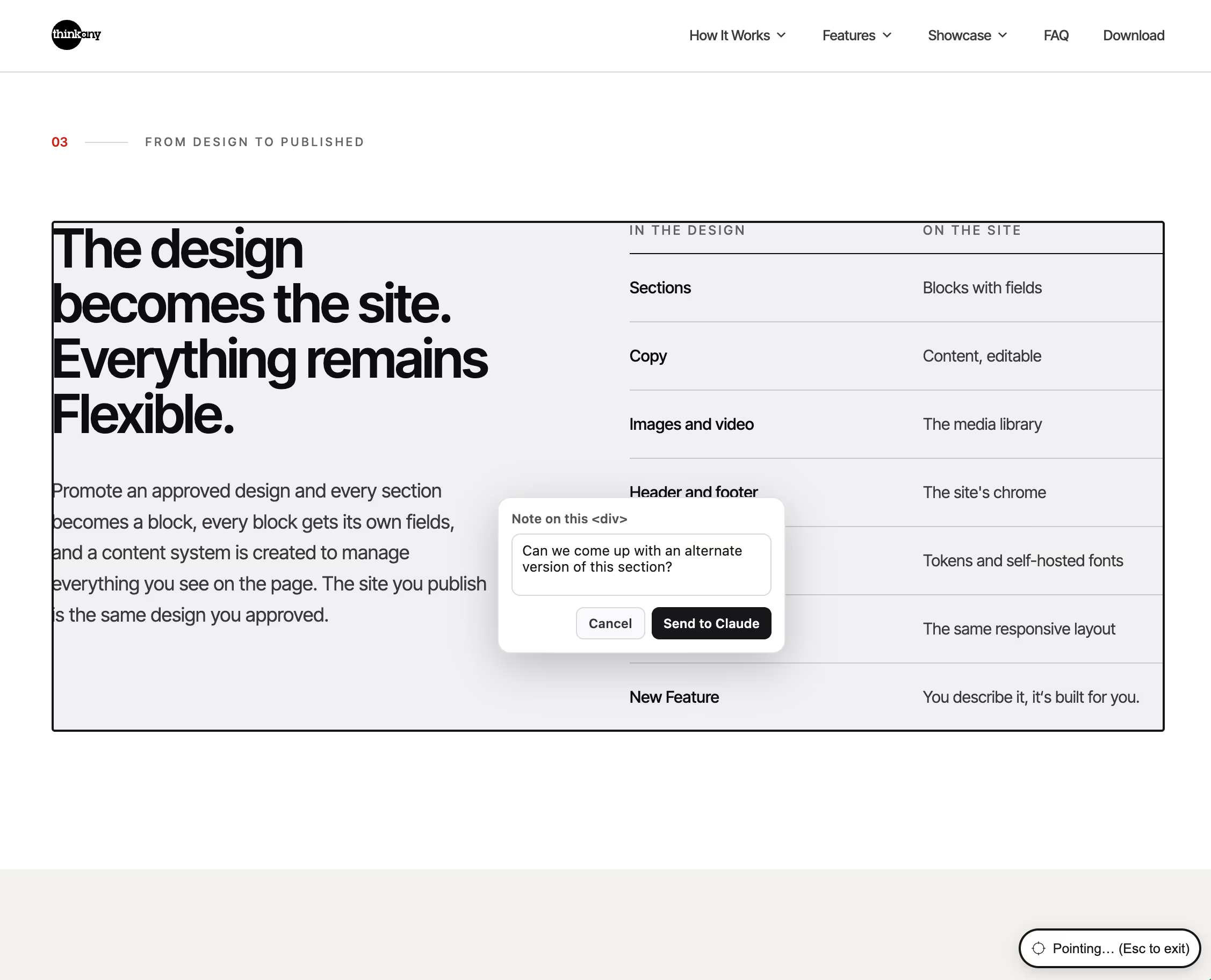
The CMS that gets YOU.
No developer necessary. The same design, in two states: the one you're working on or completed, and the one you can edit.
| Evolving Design | CMS |
|---|---|
| A designed section | A block you can reuse on any page, in any order |
| Text and images in the design | Content you can edit without breaking the design |
| Pictures placed by the designer | A media library you manage |
| Header and Footer | Navigation you can rearrange |
| Designed Page | New page(s) from the designed page's blocks |
Designed to be managed.
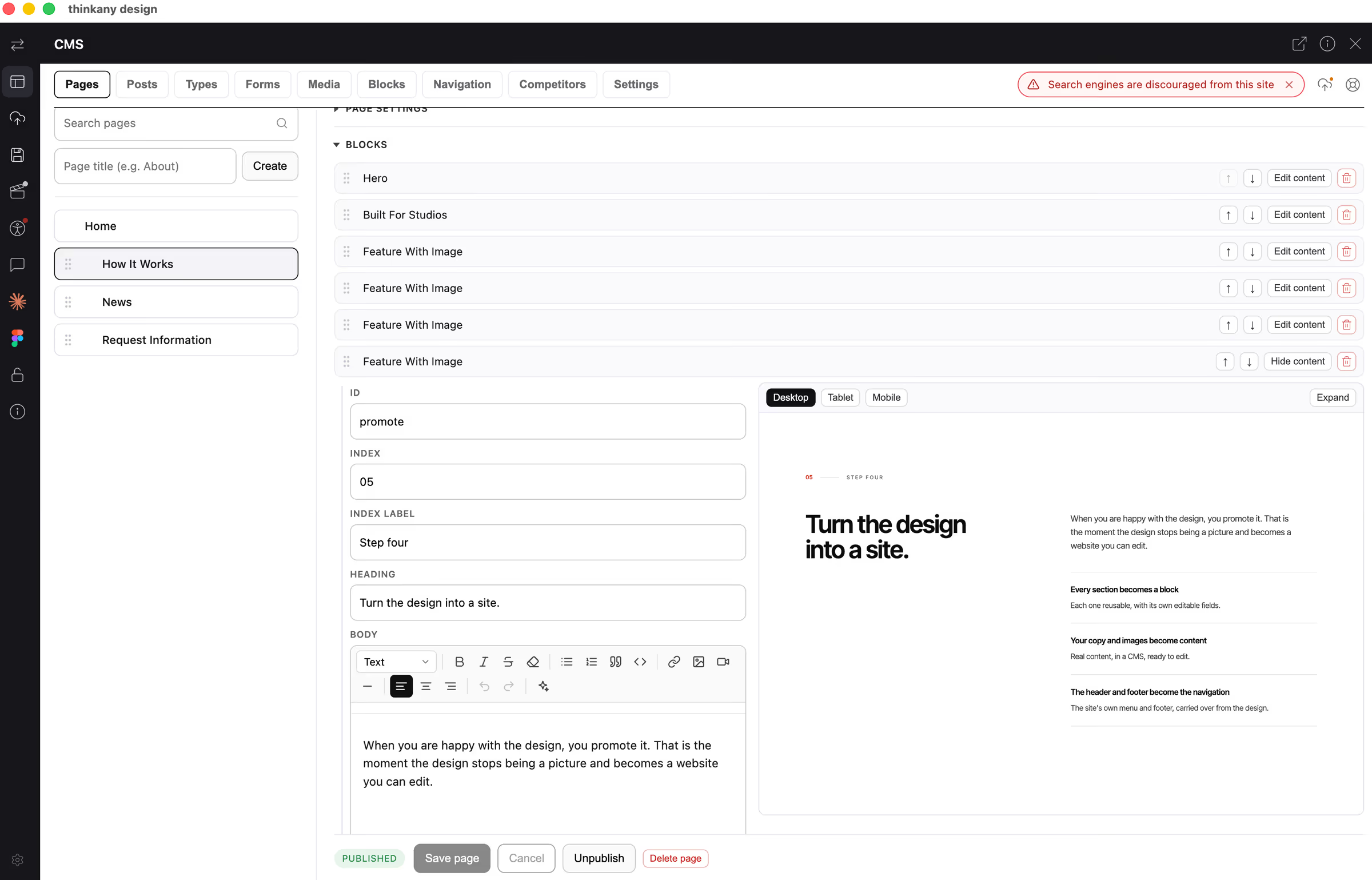
When you are happy with the design, you promote it. That is the moment the design stops being a visual project and becomes a website you can easily edit yourself.
- Every section becomes a block
Each one reusable, with its own editable fields.
Oh, and each block can be modified to your liking at any time.- Your copy and images become content
Real content, in a CMS, ready to edit.
- Navigation change? No Problem
The site's main menu and footer from the design are completely editable because, this is your site not ours.
Run the site.
A short tour of what you can now do without going back to the design.
- Pages
Arranged the way you want your visitors to read them. Publish when ready.
- Posts
For a blog or any other creative use you see fit.
- Your own content types
For anything repeating, like products or case studies. Add a filter-enabled block and pick the types to show.
- Forms
Make as many as you need. Send submissions wherever you want them to go, and keep the spam out.
- Media
Your optimized images, videos and files, all in one place.
- Search engine settings
Per page, with the metadata written for you if you want.
- In Site Search
Offer your visitors the ability to search your content. Rapid, accurate, designed results.
- Comparative Analysis
That's right, keep an eye on the competition and act of clues uncovered by AI conducted reconnaissance.
Craft your content until everything here is ready to hand to a client or launch for yourself. Nobody needs to know how the site was made.
Publish.
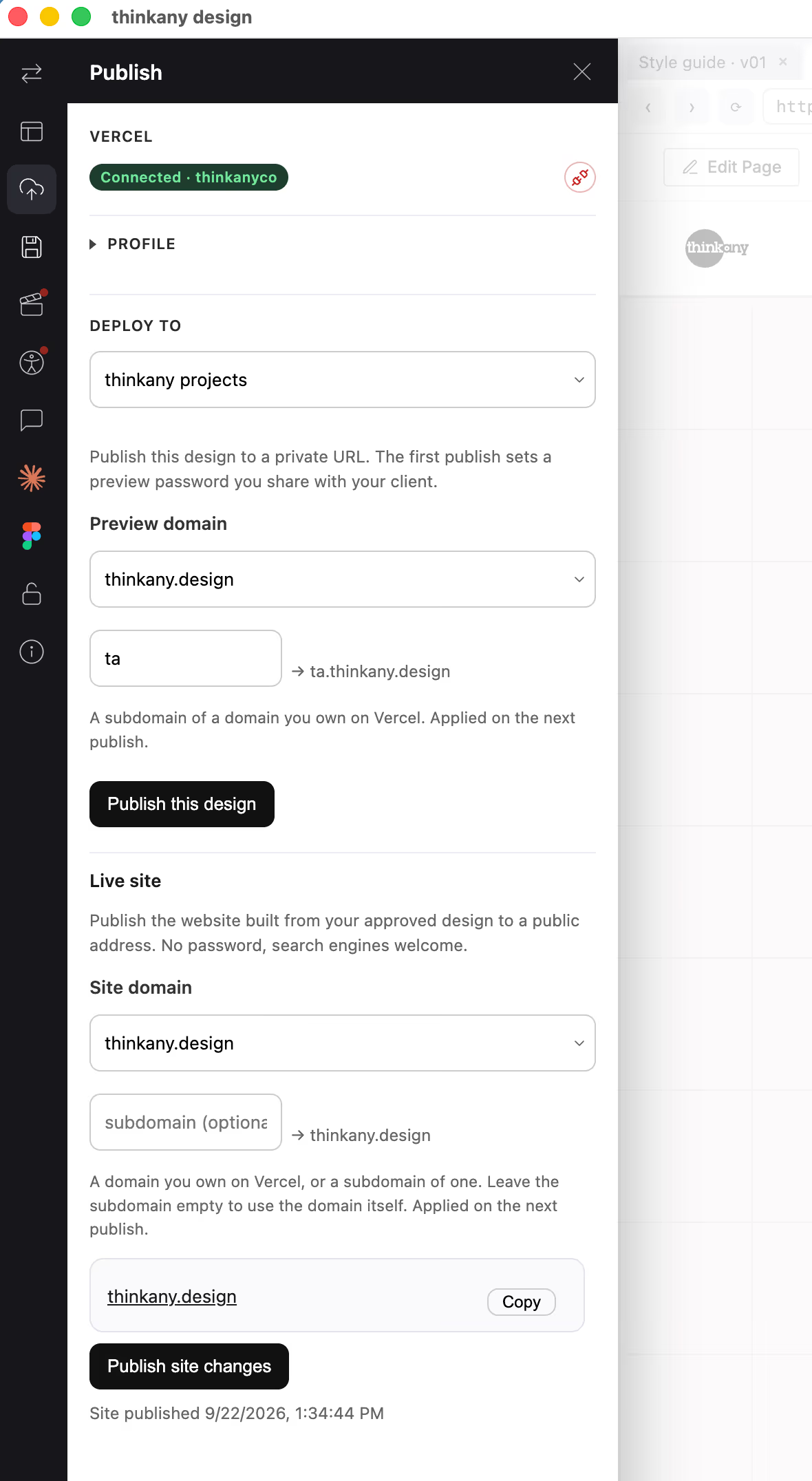
The last step, and the shortest. It publishes to your Vercel account, and the site is live.
- Connect your Vercel account
Once, inside the app.
- Publish
The staging publish gives you a private, password-protected link to send to the client or for internal team review. Optionally, the sign-in screen can display your company name and logo, reminding them who did the work.
- Point it at the real domain
When the client signs it off, or when you're ready to launch your new design, publish to a public facing URL. Continue to make design or content changes, later publishes update the same URL.
A real website, on your brand, on an account you own.
You end up with a real website, built on your brand, that you or your client can edit. It lives on a Vercel account you own, under a domain you own. Every section is a block you can reuse, every line of copy is content you can change, and every new page comes from the same design.
It is not a page builder you are locked into. It is not a template with your logo dropped in. It is the site you described, designed the way you directed, and ready for whoever runs it next.
Start with a brief. See the design today.
macOS 13 or later. Requires an Anthropic API key.